
 www.skeletonsha4ow.shop
 Join our Discord
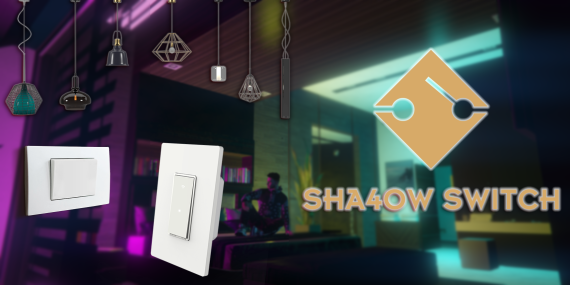
Introducing Sha4owSwitch, the ultimate lighting control script for your FiveM server. Enhance your server with dynamic, server-synced lighting and realistic player interactions at an unbeatable price. 🚀
Preview Sha4owSwitch on YouTube
Features
- Multiple Light Control: Effortlessly manage multiple lights with a single switch.
- Customizable Models: Choose from a variety of light and switch models to match your server’s aesthetic.
- Dynamic Light Settings: Configure colors, intensity, and range for stunning visual effects.
- Realistic Player Animation: Experience lifelike switch interactions with immersive player animations.
- Interactive Highlights: Switches highlight when players are nearby, ensuring intuitive interactions.
- Server Synced: Enjoy seamless synchronization across all players in real-time.
Why Choose Sha4owSwitch:
- Immersive Gameplay: Transform your server with realistic lighting and interactions.
- Easy Setup: Simple configuration options to get started quickly.
- Performance Optimized: Efficiently handles multiple lights and switches without lag.
- Continuous Updates: Ongoing improvements and new features based on community feedback.
Installation
1. Clone or download the Sha4owSwitch Script repository.
2. Rename the resource folder to `Sha4owSwitch`. Note: Do not rename the resource folder as it may cause issues with the script.
3. Place the `Sha4owSwitch` folder in the `resources` directory of your FiveM server.
4. Add `start Sha4owSwitch` to your server.cfg file.
5. Start your FiveM server.
Support and Feedback:
Join my Discord Server for support, updates, and feedback. Your insights help improve the script.
Future Plans:
Stay tuned for exciting new features and enhancements, including:
- Advanced lighting effects
- More interaction animations
- Enhanced configuration options
** You Will Get 2 Version Of Product **